
250-540-1792
WORDPRESS WEBSITES + CUSTOM BUSINESS APPS
Keep the website that works. Add a purpose-built app for your customers, your team, or the way you do business.
Bring your website link and one task you’d like to simplify.
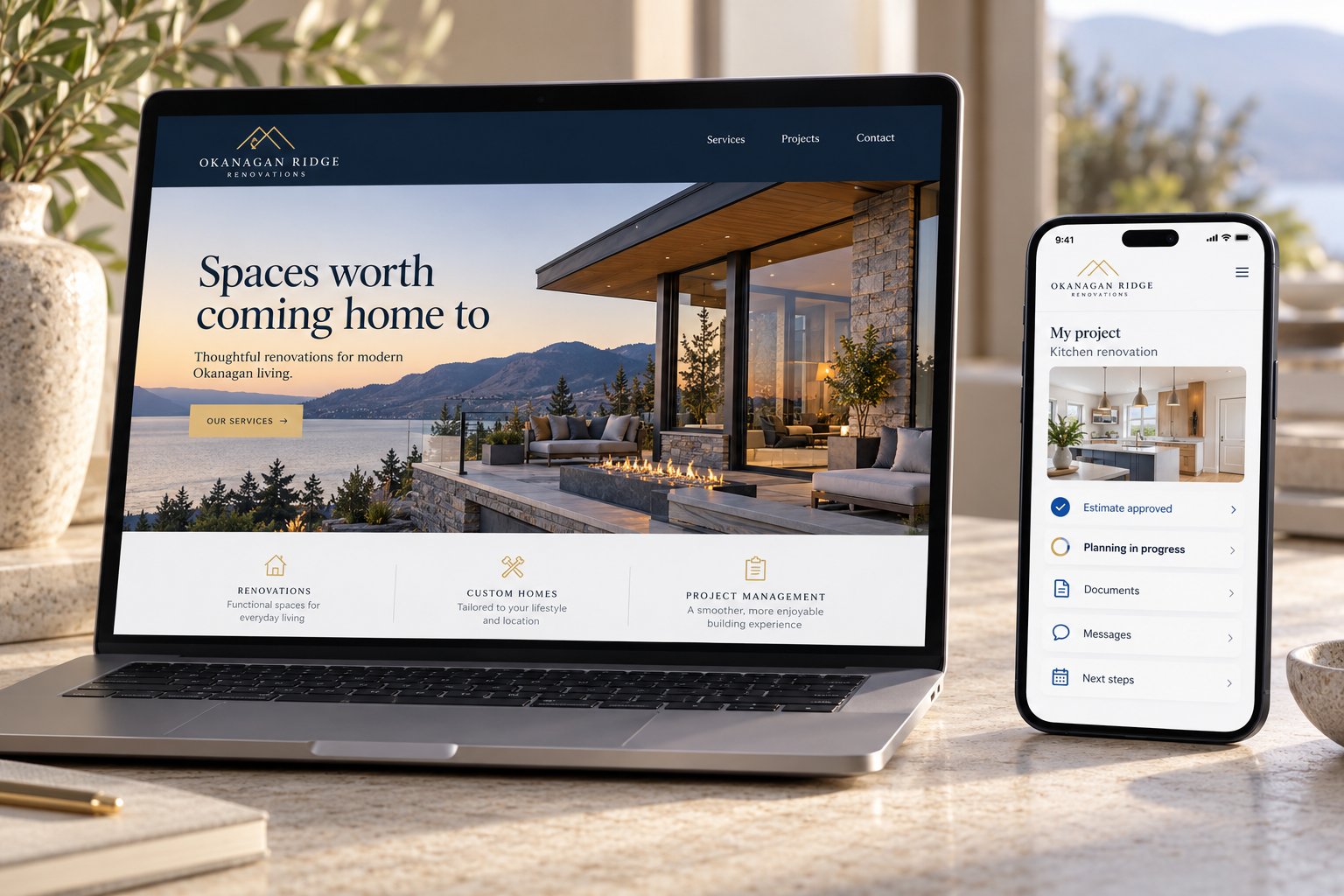
Illustrative concept — example interfaces, not a completed client project.
01 / YOUR PUBLIC WEBSITE
Use WordPress to explain your services, publish useful content and turn interest into enquiries.
02 / YOUR PURPOSE-BUILT APP
Create a focused experience around the tasks your customers or staff repeat.
Do you need both? If publishing content and receiving enquiries cover your needs, WordPress alone may be enough. Add an app when customers or staff have a recurring task worth improving.
EXAMPLE WORKFLOWS
Start with a useful task. These examples can be built in different ways; the right approach depends on your requirements.
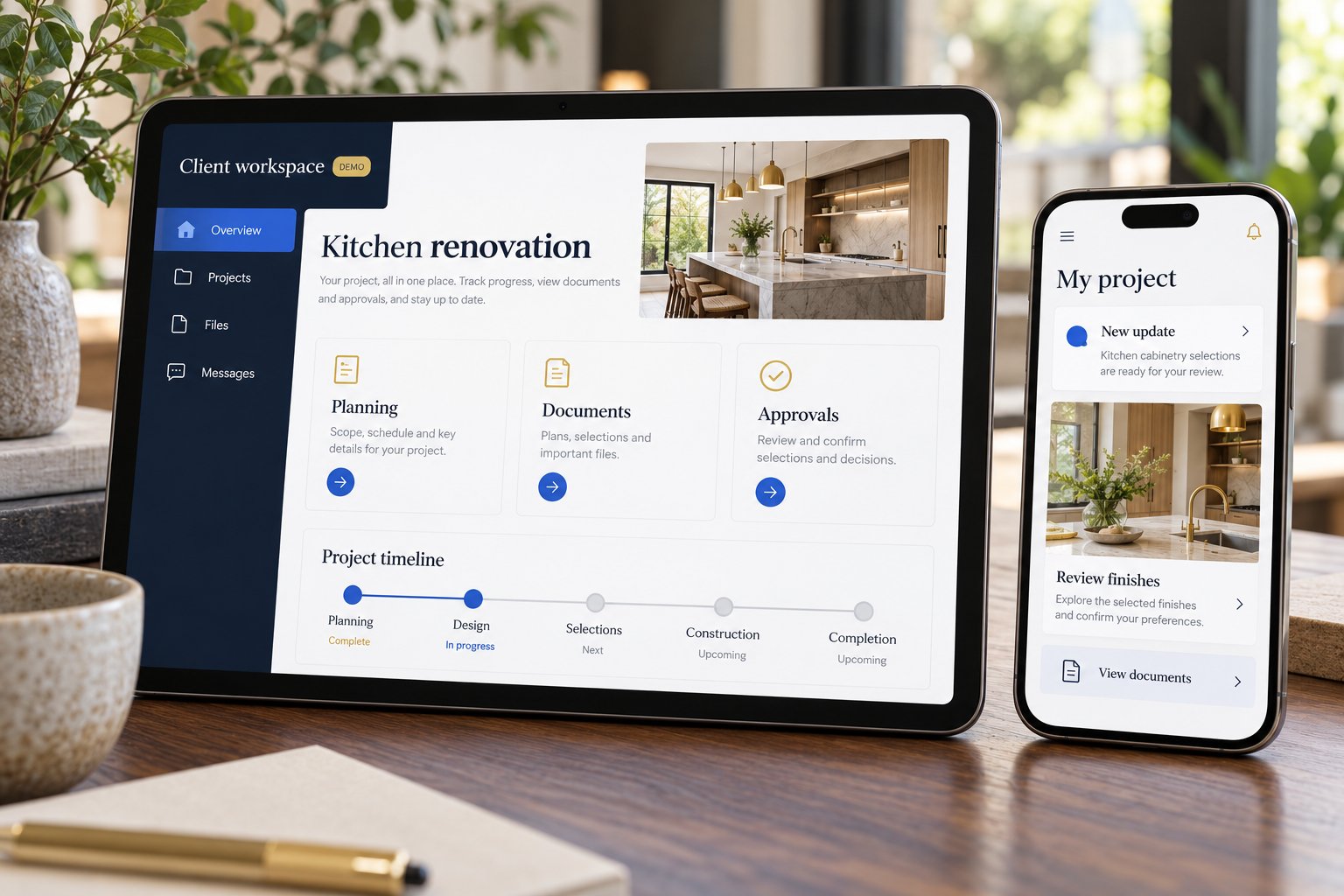
Illustrative concept — example interfaces, not a completed client project.
A contractor’s customer can review progress, upload photos and approve an estimate.
A consultant’s client can find their action plan, resources and next steps in one place.
Staff can follow a checklist, submit job information and see what needs attention.
AN HONEST COMPARISON
Compare the job you need done, then choose the approach that fits.
WordPress: Established tools for publishing and editing.
Custom app: Plan editing tools around your team’s needs.

WordPress: Existing plugins may already fit the process.
Custom app: Useful when the process needs more customization.
WordPress: Use suitable plugins or custom development.
Custom app: Design a focused experience around the task.
WordPress: Possible with appropriate PWA setup.
Custom app: Possible when configured and tested for installation.
WordPress: Mature publishing and SEO tools; setup still matters.
Custom app: Searchable public pages when built for indexing.
WordPress: Hosting, backups, updates and plugin licenses.
Custom app: Platform, usage, integrations and ongoing support.
WordPress can also support app features and PWA installation. The best choice depends on your workflow, budget and ongoing support needs. Neither approach is automatically faster, cheaper or more secure.
WHAT “ALSO AN APP” MEANS
A progressive web app (PWA) is a web application that can be installed on supported devices. It can open from a home-screen icon in its own window while remaining accessible through a web link.
An installable app is not automatically a fully offline app or an App Store listing. Accounts, dashboards and integrations are application features—not benefits exclusive to PWAs.
Technical references: MDN’s PWA guide · PWA options for WordPress · WordPress application connections
01
Identify a customer experience or internal process worth improving.
02
Scope one workflow, the people using it and the information it needs.
03
Add features and connections when there is a clear reason.
A branded app linked from your website can be the starting point. Shared logins, synchronized records and payment connections are scoped separately. Data access, permissions, backups and ongoing costs are part of that discussion.
RAVENUS / IN DEVELOPMENT
Our website + app experience
Concept illustration, not a screenshot of the finished product.
UNDER CONSTRUCTION
We’re building our new website and app experience in Base44 while continuing to build, improve and repair client WordPress websites.
We’re keeping both because they serve useful roles. We’ll share verified working examples as the new experience develops.
Need help with an existing site? Explore our WordPress services.
Yes. A companion app can sit alongside an existing website. We first look at what already works and what needs improving; a full rebuild is not a requirement.
No. A branded app linked from your site can be a useful starting point. Shared logins, synchronized records and other connections are additional work, scoped when they make the experience better.
The workflows, user roles, data, integrations and support requirements all affect the scope. Existing WordPress tools may cover the need. For a custom app, starting with one useful workflow helps keep the first build focused. Setup costs and ongoing platform or support costs should be considered together.
Data export, hosting, account access and ongoing responsibilities should be discussed before choosing a platform. Portability varies by the services used; a custom app is not automatically independent of its hosting or platform provider.
We discuss your current website, who would use the app and one process you would like to improve. The aim is to identify whether an existing tool, a WordPress improvement or a purpose-built app is a sensible next step.
Let’s identify one customer experience or business process worth improving—and work out whether WordPress, a companion app, or a combination makes sense.
Talk with Kevin about your current site, the process you want to improve and a sensible place to start.
Prefer email? kevin@ravenusdigitalmedia.com